> For the complete documentation index, see [llms.txt](https://docs.oort.io/llms.txt). Markdown versions of documentation pages are available by appending `.md` to page URLs; this page is available as [Markdown](https://docs.oort.io/release-notes/2023/week-38-2023.md).
# Week 38, 2023
In this week’s release, we’ve introduced new workflows to make it even easier to ensure you’re benefiting from the latest capabilities.
### 🆕Keep Updated with the Latest Oort Bot Capabilities in Slack
Many of you use the Oort Bot for Slack to streamline your notifications. Doing so enables you to send identity threat notifications and check failures to specific Slack channels, users, or managers. You can even when new data is collected or a collection fails.
We’re constantly adding new capabilities to the Oort Bot, so it is important that you’re using the latest version to benefit from these changing capabilities.
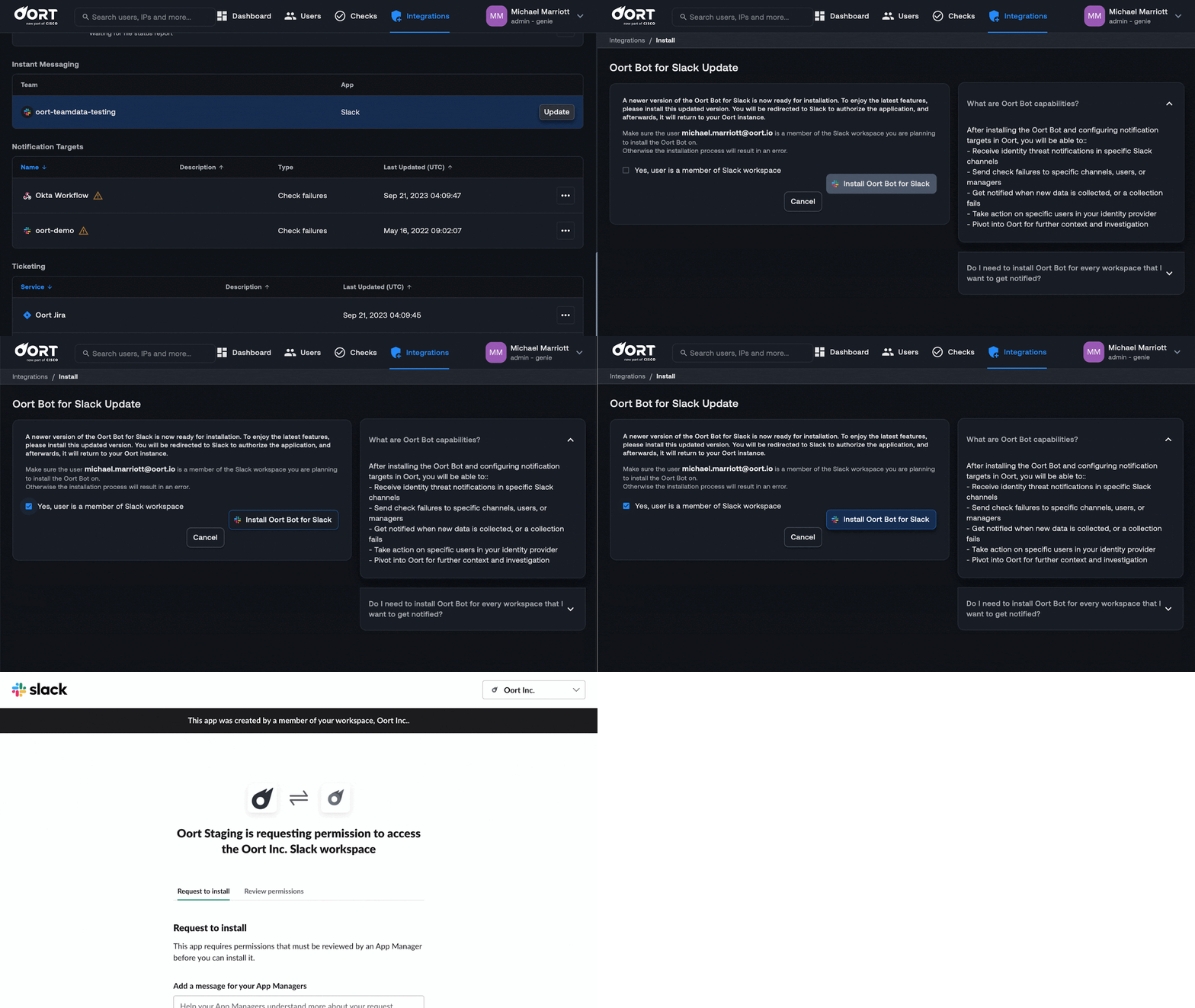
To make this as easy as possible, we’ve created a simple workflow to identify when there is an update available. Within the Integrations tab, an “Update” button will appear if there is a new version available. If there is, simply follow the steps to ensure you are using the latest version. This will redirect you to Slack to grant permission.
We’ve got some exciting changes coming up, so make sure you keep an eye out!
**Bug Fixes and Minor Improvements**
* **Custom Queries in User 360.** When you share the URL of a query in the Activity tab of the User360 profiles, the custom query will now persist.
* **Logo in Emails.** The Oort logo has been updated in email notifications to reflect the latest changes.